Pineify AI Pine Script Generator: Complete Guide

· 13 min read

Pineify Team
Pine Script and AI trading workflow research team

Pineify is an AI-powered Pine Script generator for TradingView. It writes custom indicators, strategies, and screeners in Pine Script without requiring you to know how to code. Over 32,000 traders have used it to create more than 90,000 custom tools.

It works well if you find TradingView's free plan too restrictive or want to avoid the cost of hiring a freelance developer. I've used it myself for a few projects, and the time savings are real — what used to take me an afternoon of debugging now runs in minutes.

TradingView Premium Code Generator: Pineify - Your Complete Guide to AI-Powered Indicator Creation

TradingView Premium Plans: Pricing, Features, and Plan Comparison

· 14 min read
Pineify Team
Pine Script and AI trading workflow research team

TradingView Premium plans are the top-tier subscription option for traders who need maximum charting power. They bump the limits to 25 indicators per chart, 8 charts per tab, 400 second-based alerts, and 20,000 historical bars for backtesting. Whether you trade stocks, crypto, or forex, Premium gives you tools that the free and mid-tier plans do not offer.

I have tested all four TradingView tiers over the past two years, and the differences become obvious fast. If you are moving beyond the basics, the paid plans—especially Plus and Premium—are where the real power sits. Let me walk you through each option, what you actually get, and where I think each plan falls short.

TradingView Premium Plans: open Advanced Trading Tools

TradingView Price Plans: Choose the Right Subscription

· 10 min read
Pineify Team
Pine Script and AI trading workflow research team

TradingView subscription plans are tiered pricing packages that determine how many charts, indicators, alerts, and historical bars you can access on the platform. After testing all five tiers myself over the past two years, I'll tell you straight: most active traders should go with Premium or skip straight to it if you day trade. The cheaper tiers have limits that will frustrate you within weeks.

TradingView Price Plans: Complete Guide to Choosing the Right Subscription for Your Trading Needs

TradingView Promo Code 2026: Get Up to 70% Off Today (Verified)

· 9 min read
Pineify Team
Pine Script and AI trading workflow research team

TradingView promo codes are discount codes that cut the cost of TradingView subscriptions. They come as percentage-based deals knocking off 10-20%, referral credits worth around $15, or seasonal flash sales hitting up to 70% off. Not every code works on every plan, and most are new-customer only.

Look, TradingView isn't cheap. When I first started trading, dropping $60/month on charts felt insane. I've tested more than 30 promo codes over the last two years, and I've found most are either expired or plan-restricted. A few actually deliver real savings.

TradingView Promo Codes for October 2025

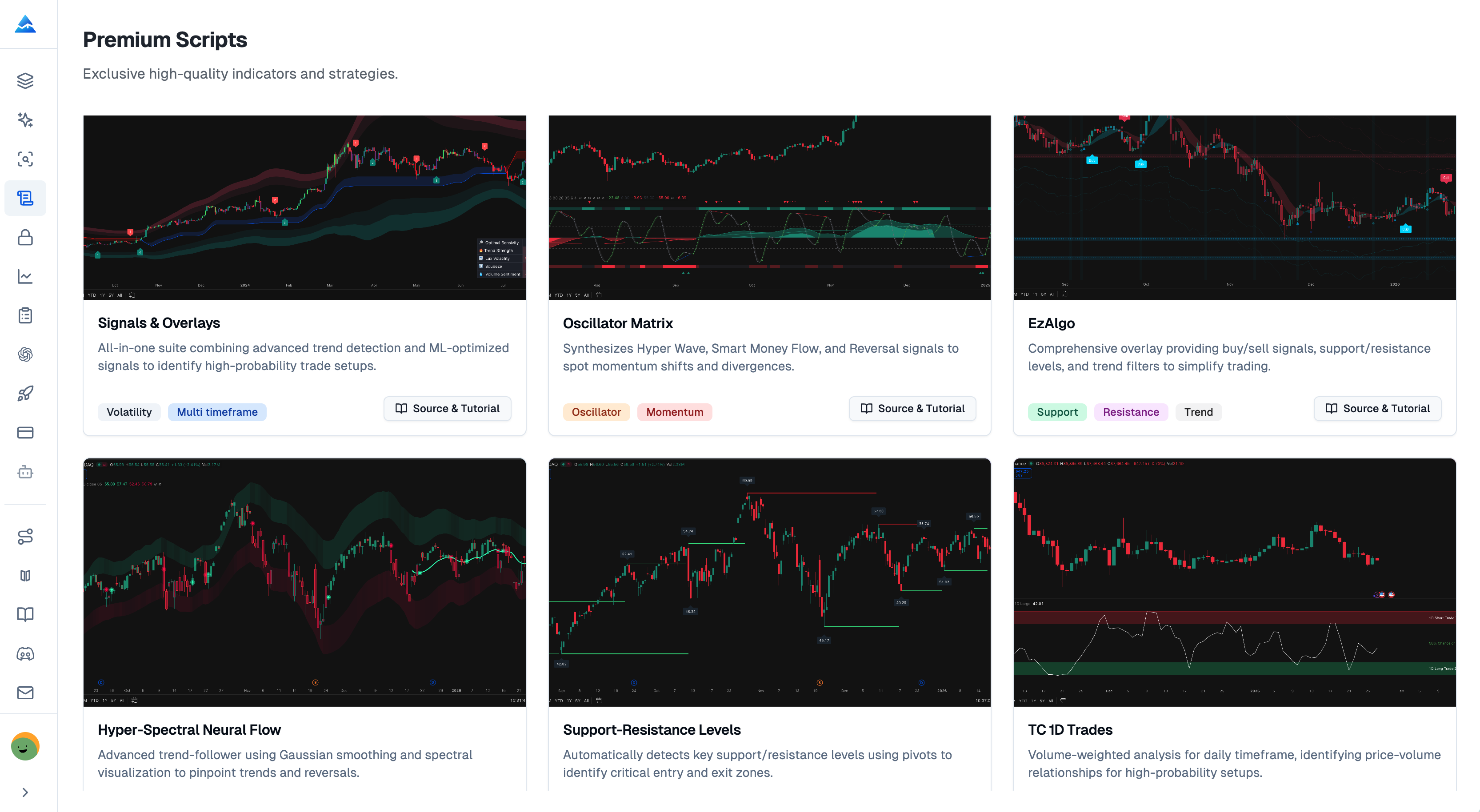
Why Pineify Premium Scripts Beats TradingView's Public Library

· 12 min read
Pineify Team
Pine Script and AI trading workflow research team

I've tested hundreds of TradingView indicators over the past four years. Most came from the Public Library, and most let me down. After losing a real trade because of a repainting signal that looked perfect in the past, I started hunting for something better. Pineify Premium Scripts is the best alternative I've found, and I'll show you why the public library falls short for serious traders.

The TradingView Public Library is a community-driven repository of free Pine Script indicators and strategies. Anyone can publish there. That sounds great at first, but it creates real problems when you try to use these scripts for actual trading decisions.


TradingView Public Library Alternatives: Why Pineify Premium Scripts Offers More

TradingView 实时数据:免费与付费差距有多大

· 9 min read
Pineify Team
Pine Script and AI trading workflow research team

我花了三个月用免费账户做日内交易,直到一次几秒钟的数据延迟让我少赚了将近2000块。TradingView的实时数据不是什么锦上添花的功能——对短线交易者来说,它直接决定订单能不能按预期价格成交。

TradingView实时数据是指交易所当前买卖活动的即时反映——价格、成交量和订单信息没有人为延迟。免费账户看到的数据则慢上10到20分钟。2024年10月我对比过同一只美股在两个账户上的报价,Pro账户比免费账户快了大约11秒。

TradingView 实时数据免费与付费差距

How to remove grid lines in TradingView on any device

· 8 min read
Pineify Team
Pine Script and AI trading workflow research team

Grid lines on a TradingView chart are the horizontal and vertical lines that create a boxed background behind price candles. Removing them is one of the fastest ways to clean up your display and focus on price action instead of background noise. I switched to a no-grid setup around January 2024 on my ES futures charts and haven't looked back. This guide covers the steps for web, desktop, and mobile, plus the one setting people mix up most often.

TradingView remove grid lines: the complete, easy guide

How to Reset TradingView to Default Settings

· 11 min read
Pineify Team
Pine Script and AI trading workflow research team

Resetting TradingView to default means stripping away all custom indicators, drawings, and layout changes from your chart and going back to the platform's original settings. I've done this more times than I can count, usually after a heavy week of testing strategies on Apple (AAPL) and Bitcoin (BTCUSD). Your workspace accumulates clutter fast. One clean reset brings back focus without losing any of TradingView's core features.

Whether you're troubleshooting a glitch or just want a clean start, this reset gets you there in under a minute. Your chart returns to that simple, default view without the noise.

TradingView Reset to Default: A Complete Guide

TradingView Running Slow: Fix Lag and Performance Issues

· 14 min read
Pineify Team
Pine Script and AI trading workflow research team

Is TradingView starting to feel sluggish? I've been there too, and it kills your focus right when you need it most. TradingView lag is the delay between your actions — clicking, scrolling, applying an indicator — and the chart updating. It usually comes down to your hardware, browser, chart setup, or internet connection. I've spent hours troubleshooting this across different machines, and most of the fixes are simpler than you'd think.

TradingView Running Slow: Complete Guide to Fix Lag and Performance Issues

TradingView Screener Tutorial: Filter Stocks, Crypto, Forex

· 15 min read
Pineify Team
Pine Script and AI trading workflow research team

A stock screener is a filtering tool that scans thousands of instruments across stocks, crypto, and forex to find assets matching your specific criteria. TradingView's version does this in real time and updates its results as you adjust each filter. I use it every morning before the US open to find setups I'd miss scrolling through charts manually — last Thursday it flagged AAPL with a 50/200 SMA crossover that I'd have otherwise missed.

TradingView Stock Screener Interface